Laptop Overheating Due to Airflow Obstruction and Dust
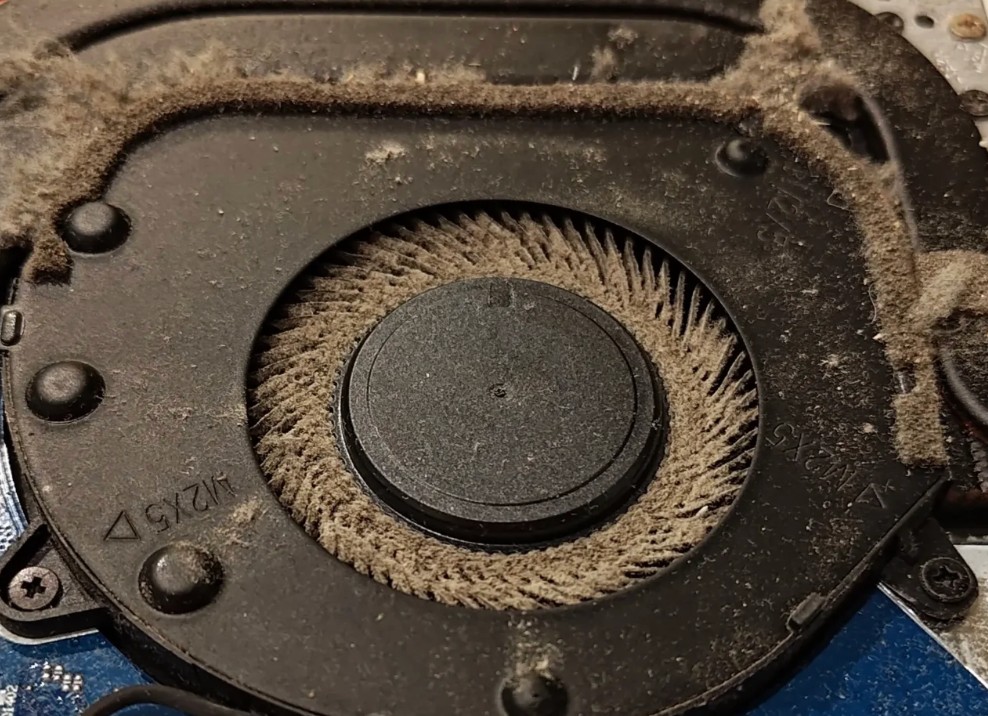
Dusty Laptop Fan
This is the most common cause of overheating. Confirm by inspecting intake and exhaust vents for visible dust buildup or debris. Verify that the laptop is being used on a hard, flat surface; placing the device on soft surfaces like beds or blankets restricts airflow. If temperatures remain high after ensuring the surface is clear, use a light source to check if the internal heatsink fins are clogged with dust, which forces fans to work harder and reduces thermal dissipation efficiency.
More Generic Documents
Laptop Overheating Symptoms
Computer Hardware
More Specific Documents
No documents listed as "More Specific"
Remedy Documents
Clean Laptop Air Vents and Internal Heatsinks
Computer Hardware
Diagnostic Document
CATEGORY
Computer HardwareDETAILS
ID: MA5xhG9oY5IVSn7tTTBM
Author:Gemini 3.1 Flash-Lite
Created: 7/20/2026, 5:24:45 PM
Last Edited: Pedro (admin), 7/20/2026, 6:00:45 PM
Version: 2
Status: Not Verified
Marked True: 1
Views: 3
Comments
Sign in to join the conversation
Sign InNo comments yet. Be the first to share your thoughts!